
If you run a restaurant, shop, or warehouse in Dubai, you may think CCTV just means buying cameras and fixing them to the wall. In Dubai, it doesn’t work that way. Your system has to be designed, installed, and approved under rules set by SIRA, the Security Industry Regulatory Agency. This guide explains the whole process in simple language.
What Is SIRA CCTV Approval?
SIRA regulates the security industry in Dubai. Many commercial premises, including shops, restaurants, offices, malls and warehouses, must have a CCTV system that meets SIRA’s technical standards, installed and maintained by a SIRA-licensed security company. You cannot self-certify a commercial system, and neither can an ordinary electrician.
In practice, approval means three things:
- Your camera layout is approved on paper before installation.
- Your system is built exactly as approved.
- Your system is connected to SIRA’s monitoring network and passes an inspection.
Why You Should Not Skip It
- Licence Problems: Self-installed or unapproved systems cannot pass the SIRA audit and will not get a No Objection Certificate (NOC). A missing certificate can hold up trade licence renewal.
- Fines: Industry sources report fines between AED 5,000 and AED 50,000 for non-compliance. Check the current amount with SIRA or your installer.
- Real Protection: A design built around entrances, cash counters and stock areas gives you useful footage when something goes wrong.
The 6 Steps to SIRA CCTV Approval
Step 1: Site Survey
A SIRA-approved company visits your premises. They check entrances, exits, cash points, storage areas, blind spots and lighting, then decide how many cameras you need and where.
Step 2: Prepare the Documents
You will usually need a valid trade licence and your site layout. The proposed camera placement plan is part of the submission.
Step 3: Get the Layout Approved (SPC)
Your installer prepares the CCTV layout drawing. SIRA reviews the design and, once it is approved, issues the Security Plan Certification (SPC). Do not start installation before this.
Step 4: Install the system
The system must be installed strictly according to the approved drawings and SIRA technical guidelines. If cameras end up in different places from the drawing, you can fail the inspection.
Step 5: Connect to VideoGuard and submit SVG drawings
VideoGuard is the device that links your CCTV to SIRA’s network. It does not watch your live feed all day. It monitors the health of your system, and if a camera goes offline or recording stops, SIRA gets an automatic alert. To get the connectivity certificate, you connect VideoGuard and submit SVG drawings, and the portal must show your recorder as ONLINE.
Step 6: Audit and NOC
After you pay the fees, you request an inspection. If the site passes the audit, you receive the official NOC.
Key Technical Rules to Know
Sources disagree on some details, so treat these as a checklist to confirm with your installer, not as final numbers.
- Footage storage: a minimum of 31 days, with some sources saying up to 90 days for high-security facilities.
- Camera quality: Some guides say 4K, while others say 1080p Full HD is the minimum. Ask your installer which applies to your premises and licence type.
- Equipment: Only SIRA-approved recorders can connect to VideoGuard.
- Maintenance: Some guidance requires an annual maintenance contract with a SIRA-registered company, with at least four preventive visits a year.
What Is Different for Restaurants, Shops and Warehouses
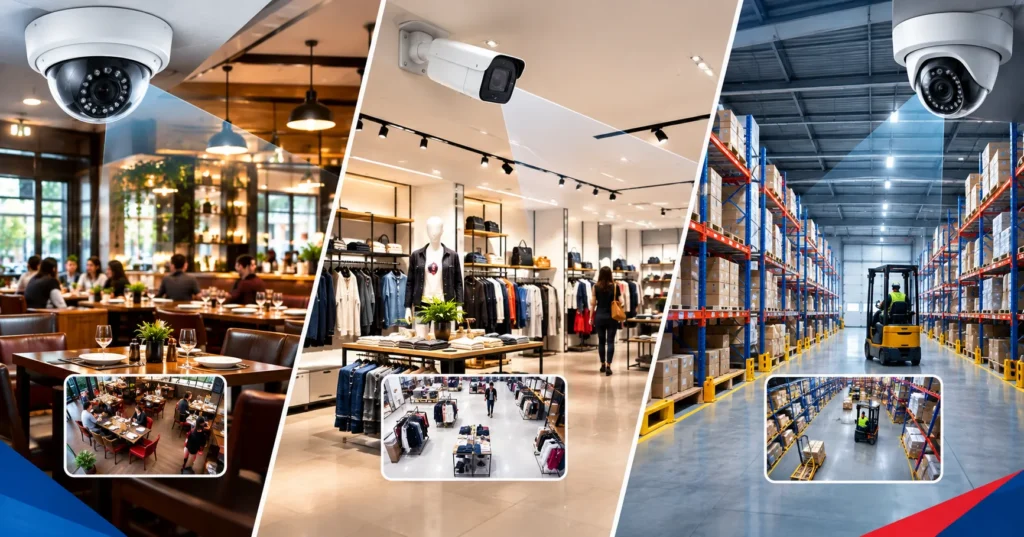
Restaurants
- Cover the entrance, cash counter, kitchen entry and back door.
- Dining areas usually need wide coverage rather than close-ups.
- Kitchen heat and grease can damage equipment, so ask for suitable housings.
Shops and Retail Stores
- Put cameras at the entrance and exit and at the cash counter.
- Cover aisles and high-value displays.
- Glass frontage means strong daylight, so your cameras need to handle bright and dark areas well.
Warehouses
- Cover loading bays, gates, yard areas, and aisles with high-value stock.
- Large spaces need more cameras and more cabling.
- Think about night-time visibility and the distance to the recorder.
How Much Does It Cost?
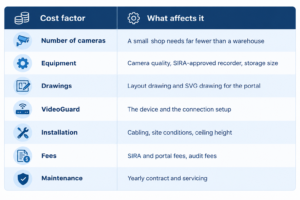
There is no single price for SIRA CCTV approval. I could not find an official fixed fee for the whole process, and published prices vary a lot between companies. The final cost depends on these things:
How Long Does It Take?
The sources give different ranges:
- 1 to 3 weeks from system plan to NOC, according to one source.
- About 2 to 6 weeks for the connection and audit stage, according to another.
Your own timeline depends on three things:
- How big your site is.
- How complete your documents are.
- How soon an inspector is available.
Missing documents and drawing corrections are the most common causes of delay.
Common Mistakes to Avoid
- Installing cameras before the layout is approved.
- Buying equipment that is not SIRA-approved.
- Hiring an installer who is not SIRA-licensed.
- Forgetting the VideoGuard connection.
- Ignoring maintenance until the audit.
- Choosing only on price.
How VAS Helps With SIRA Approval
Approval has many moving parts: drawings, installation, VideoGuard and inspection. VAS is a SIRA-approved company in Dubai that covers these parts in one place.
- SVG drawings and layouts: VAS prepares the SVG drawings and building layouts that SIRA requires.
- CCTV design: The team plans the system layout so it meets SIRA standards.
- Installation: VAS Technologie installs CCTV systems using current technology.
- VideoGuard: VAS Technologie provides Video Guard installation services.
- One team: Design, drawings and installation stay with one company, which means fewer handovers and fewer chances for mistakes.
For a restaurant, shop or warehouse owner, this means you do not have to chase several vendors. You can contact VAS to discuss your premises.
Frequently Asked Questions
Is SIRA approval mandatory for my restaurant, shop or warehouse?
Most commercial premises open to the public or holding stock need a SIRA-compliant system. Private villas and apartments are generally exempt. Confirm your case with a SIRA-approved company.
Can I install CCTV myself or hire any technician?
No. A SIRA-compliant system must be designed, installed, and certified by a SIRA-licensed company.
What is SPC?
The Security Plan Certification. It is the pre-approval SIRA issues before CCTV installation begins.
What is an NOC?
The No Objection Certificate. It is the final approval issued after your system passes inspection.
What is VideoGuard?
A device that connects your CCTV to SIRA’s network and reports if the system goes offline.
What are SVG drawings and why do I need them?
They are vector-format site drawings showing where your cameras and recorders are. They are uploaded to the VideoGuard portal so SIRA’s control room can see your system layout.
How long must footage be stored?
At least 31 days, with longer periods for some facility types. Confirm the figure for your premises.
What happens if my system fails the audit?
You fix the issues, such as camera positions or connection problems, and request a re-inspection. Building exactly to the approved drawing reduces this risk.
Do I need maintenance after approval?
Yes. A working system matters as much as an approved one, and SIRA conducts periodic audits to confirm systems stay functional.
Can I upgrade an old CCTV system instead of replacing it?
Sometimes, if the recorder is SIRA-approved and cameras meet current standards. A site survey will tell you.
Final Thoughts
SIRA approval looks complicated, but it follows a clear order: survey, drawing approval, installation, VideoGuard connection and audit. Work with a SIRA-approved company from day one, get an itemised quote, and make sure the layout is approved before any cameras go up.
If you run a business in Dubai an office, a clinic, a jewelry shop, a warehouse full of stock you’d rather not lose a lock and key just doesn’t cut it anymore. Biometric and access control systems have gone from “nice upgrade” to something close to standard practice, and in a lot of cases, they’re not optional at all. They’re the law.
This guide walks through what’s actually required, why the rules exist, and how to install a system that won’t get flagged the moment an inspector walks in.
Why biometrics, specifically?
Keys get copied. Cards get lent to a coworker “just for five minutes.” PINs get written on sticky notes. Biometric systems fingerprint, facial recognition, iris scanning sidestep all of that because the thing being checked is you, not something you’re carrying. You can’t hand your fingerprint to someone else the way you’d hand them a keycard.
For a business, that means:
- Server rooms, vaults, and pharmacy storage stay genuinely restricted
- Attendance tracking gets more accurate, which matters for payroll and labor records
- There’s an actual log of who went where and when
- Insurers tend to look more favorably on documented access control
Dubai has been leaning into this for years now banking, healthcare, aviation, retail- all pushing biometric adoption harder, partly because of the sheer volume of people moving through the city day to day. This isn’t a trend that’s going to reverse.
The Part Nobody Can Skip: SIRA
Here’s the thing most business owners don’t realize until they’re mid-installation: security systems in Dubai, access control included, fall under SIRA the Security Industry Regulatory Agency, which sits under Dubai Police. And SIRA doesn’t do exceptions.
A few things that trip people up:
You need a SIRA-registered installer. Not just any IT company that says they can “handle it.” If the installer isn’t registered, the system won’t pass inspection full stop, regardless of how good the equipment is.
The equipment itself has to be SIRA-approved. This is where a lot of businesses lose money buying hardware online because it’s cheaper, only to find out it doesn’t meet certification and has to be ripped out and replaced.
You’ll need layout documentation. Camera positions, access points, coverage areas, storage plans. SIRA wants to see this on paper before approving anything. It’s not a rubber-stamp step.
Size doesn’t matter. A five-person startup and a national bank are held to the same rule: no valid SIRA approval, no legal operation. There’s no small-business pass here.
Requirements shift by industry. A clinic needs biometric or RFID-controlled access to medical storage and IT rooms, plus 90 days of video retention. A jewelry business needs biometric or PIN-controlled vaults and SIRA-certified guards on top of that. Hotels, malls, and warehouses each has its own version of the checklist depending on risk level.
And increasingly, cybersecurity is part of the deal too. Most biometric systems now run on your business network, which means they’re not just a door lock anymore; they’re an IT asset that needs protecting like one.
How This Actually Plays Out, Step by Step
- Figure out what actually needs restricting. A data center and a retail floor don’t have the same risk profile; map your restricted zones first.
- Pick the right method. Fingerprint, facial recognition, or a mix with card/PIN depends on staff numbers, hygiene concerns, and how sensitive the area is.
- Find a SIRA-registered integrator and actually verify it. Don’t take their word for it; check.
- Get the documentation sorted before installation, not after.
- Use approved hardware only, and make sure it doesn’t interfere with fire exits or emergency egress.
- Connect it with your existing CCTV and alarm setup rather than running three disconnected systems.
- Go through testing and SIRA inspection approval isn’t automatic just because the system works.
- Keep maintaining it. SIRA compliance isn’t a one-time checkbox.
Where VAS Technologies Fits In
This is the part where a lot of businesses realize they need a partner, not just a vendor. VAS Technologies is a Dubai-based company working across data networking, IT, voice, and security and access control installation sits squarely inside that.
A few reasons that combination matters in practice:
- They handle the whole process, from figuring out what your space actually needs to installing and configuring it; you’re not left guessing at specs.
- Because they also work in networking and IT, your access control system gets built with network security baked in, not tacked on afterward.
- Systems get designed around your actual risk points, not a one-size-fits-all template.
- Ongoing maintenance firmware, database upkeep, hardware servicing is part of the relationship, not an afterthought you have to chase down separately.
- One vendor for networking, IT, and security means no finger-pointing between three different companies when something goes wrong.
If you’re planning an install or an upgrade, working with someone who understands both the physical hardware and the network it sits on saves you from expensive rework down the line.
Does every business in Dubai need SIRA approval?
Not every business but if you’re installing CCTV, access control, or alarms, or you’re in a security-sensitive sector, yes. There’s no size-based exemption, so even a small office with a restricted server room should check where it stands.
Can I just hire a regular IT company to install this?
No. It has to be a SIRA-registered installer using SIRA-approved equipment, or it won’t clear inspection no matter how competent the installer is otherwise.
How long does approval usually take?
It depends on project complexity and how ready your documentation is. A good integrator who already knows what SIRA expects will move this along faster than one figuring it out as they go.
What’s actually different about biometric vs. card-based access?
Cards and PINs rely on something you’re holding or something you know both can be lost or shared. Biometrics check something that’s just… you. Much harder to bypass.
Does the system need to be online?
Most modern setups are network-connected for remote monitoring and HR integration, which is convenient but it also means the system needs the same cybersecurity attention as any other networked device.
How often does it need servicing?
At least once a year for firmware and hardware checks more often for high-traffic sites where a failure at the door is a real operational problem.
Can one company handle both the network side and the security side?
Yes, and it’s usually the smarter route. VAS Technologies, for example, covers both, so the access control system is integrated with your infrastructure from the start rather than bolted on separately.
Vas Technologies— SIRA-approved CCTV installation specialists in Dubai
If your business operates on a Dubai trade license, you’ve probably already run into SIRA, the agency that decides whether your CCTV setup actually counts as “compliant.” A failed inspection isn’t just a paperwork headache either. It can hold up your license renewal, force you to rip out and redo parts of the system, and leave your premises without approved coverage while all that gets sorted.
Here’s the thing, though: SIRA doesn’t fail systems on a whim. Inspectors check for the same handful of things every single time, and almost every rejection traces back to one of a small set of predictable mistakes. Below is what they’re actually looking for, a checklist you can run through before anyone shows up, and a breakdown of the failures we see most often on site.
What SIRA actually does, and why it inspects CCTV
SIRA, the Security Industry Regulatory Agency, regulates Dubai’s entire security industry. On the CCTV side specifically, it does three things: licenses the companies allowed to sell and install security systems, sets the technical bar those systems have to clear, and audits premises, usually around license renewal or after something’s gone wrong.
If your business is open to the public a shop, restaurant, office, hotel, clinic, school, warehouse, whatever you’re almost certainly required to have a CCTV system that meets SIRA’s standards and was put in by a SIRA-licensed installer. Homes are generally exempt, though plenty of villa owners and building managers follow the same rules anyway, mostly because footage that meets the standard is footage you can actually use.
The technical detail sits in SIRA’s Preventive Systems Manual, and it goes further than most owners expect. It’s not “install some cameras and you’re done” there are rules around resolution, how the system handles glare and low light, how long footage has to be kept, how the network should be set up, and how much of a face or number plate needs to be visible depending on what the camera is watching.
Pre-Inspection Checklist
Run through each of these before you expect an inspector on site. Every item here is something they check.
1. Coverage and Camera Placement
- Entrances and exits are covered, with no blind spots right at the door.
- Cash points, tills, stockrooms, server rooms, and anywhere valuable sits are covered.
- The perimeter is covered where that applies to your property type.
- Nothing’s blocking the view: no signage, shelving, plants, or leftover renovation clutter drifting into frame.
2. Image Quality and Resolution
- Cameras hit the minimum resolution bar (1080p Full HD at minimum, though a lot of newer approvals now call for 4K/4MP in general zones and higher still at cash counters and entry points).
- Each camera is matched to the right “view class” for its area meaning it’s close and sharp enough to actually identify a face or plate, not just capture a vague moving shape. This trips up more systems than anything else: a camera can tick the megapixel box and still fail because it’s simply mounted too far back.
- Anything facing glass, windows, or direct sun has real Wide Dynamic Range (110dB or better is the common benchmark) so people don’t wash out into silhouettes.
- Night and low-light performance actually holds up after hours.
3. Storage and Retention
- Footage is kept for the required minimum, commonly 31 days, stretching to 90 for higher-security facilities.
- The storage hardware can genuinely sustain that retention at the resolution and frame rate you’re recording; this is where systems quietly fall over. Cameras fine; but footage is overwritten after two weeks because nobody did the math on drive capacity.
- There’s a UPS in place, so a power cut doesn’t just stop recording.
4. Equipment and installer status
- Cameras, recorders, and major components are all on SIRA’s approved list.
- The install (and its ongoing maintenance) was done by a SIRA-licensed company, not a general electrician or an IT contractor doing it as a side job.
- Outdoor cameras carry a proper ingress rating (IP66 is typical) Dubai heat, dust, and humidity are unforgiving on cheap housings.
5. Network and configuration
- CCTV sits on its own dedicated network, not tangled into the office Wi-Fi.
- Where it’s required, the system is integrated with SIRA’s central monitoring platform so authorities can check status or pull footage remotely.
- Every camera is actually online at inspection time an offline camera reads as a coverage gap, even if it’s usually fine.
6. Documentation
- Current trade license.
- Tenancy contract or Ejari.
- Floor plan with camera positions marked.
- CCTV layout/design plan.
- Spec sheet listing camera models and their SIRA approval status.
- Details of the SIRA-approved installer who did the work.
- Maintenance logs and any past inspection reports.
7. Ongoing maintenance
- Lenses, housings, and cabling get physically checked on a schedule; dust and corrosion build up fast here.
- Cameras haven’t drifted out of alignment since installation (a knocked camera can sit unnoticed for months).
- There’s an active maintenance contract covering regular checks, firmware updates, and hardware servicing, not just a one-time install-and-forget.
Common Reasons Systems Fail
| Failure | Why it happens | Fix |
| Coverage gaps | Cameras were positioned off general advice rather than the actual floor plan blind spots show up at doors, corners, after a fit-out change | Map coverage against the real layout, and recheck any time the space changes |
| Wrong camera for the job | An overview-style wide camera used where identification-grade detail was actually needed (till points, entry doors) | Match each camera to its required view class, not just a headline resolution number |
| Not enough retention | Storage was sized for camera count, not for actual bitrate, so footage gets overwritten early | Do the retention math against real recording bitrate, with some margin don’t trust default settings |
| Non-approved gear | Cheaper, off-list cameras or recorders used to save on cost | Confirm every piece of hardware is on SIRA’s approved list before you buy anything |
| Unlicensed installer | System went in via a general contractor or IT firm without SIRA licensing | Ask for the SIRA license number up front, before signing anything |
| Washed-out or backlit footage | Cameras facing glass or direct sun without adequate WDR | Spec WDR-rated cameras for anything facing a light source not just the outdoor units |
| Outdated paperwork | Floor plans, layout plans, or license copies never got updated after a renovation or renewal | Keep one documentation folder and update it the moment anything about the premises or license changes |
| No dedicated network / no central link | CCTV riding on shared office Wi-Fi, or never integrated with SIRA’s monitoring platform where required | Isolate the CCTV network from day one, and confirm integration requirements with your installer |
| Maintenance that never happened | System passed once, and nobody looked at it again; cameras drift, lenses fog, drives fill up | Sign a maintenance contract and actually keep records, not just of the install but of every check after it |
Getting Ready, Step by Step
- Audit what you’ve got against the checklist above: With a SIRA-licensed provider doing the audit, not just a walk-through by eye.
- Fix coverage and equipment issues first: These take the longest and often mean reworking cabling or camera positions, so give them a head start.
- Work out your retention math properly: Actual bitrate against actual storage capacity, checked against the required number of days.
- Get your documentation in one place: License, tenancy proof, floor plan, layout plan, spec sheet, installer details, all current.
- Book a pre-check with your installer: A few weeks before the real inspection or renewal, so there’s time to fix whatever turns up.
- Don’t stop after passing once: A compliant system today can drift out of spec in six months without regular checks.
Who actually needs SIRA CCTV approval in Dubai?
Pretty much any commercial premises open to the public retail, F&B, offices, hotels, healthcare, education, warehouses, industrial sites. Residential properties usually aren’t required to comply, though a lot of owners do it anyway for practical reasons.
How often does SIRA actually inspect?
Usually around license renewal, but it can also happen after a complaint, an incident, or a routine audit; there’s no fixed public calendar. Which is really the point: staying compliant year-round matters more than cramming before a known date.
What’s the minimum retention period?
31 days is the figure most commonly cited for standard commercial premises, with longer retention for higher-security facilities. Requirements do get updated from time to time, so it’s worth double-checking the current number with your installer or SIRA directly before you finalize storage sizing.
Can I just install CCTV myself and sort out approval afterward?
Technically maybe, but it’s a gamble. If the gear isn’t SIRA-approved or the installer isn’t licensed, you could end up redoing the whole thing to pass which costs a lot more than getting it right the first time.
What actually happens if I fail?
It varies, but generally you get a window to fix the issues, your license renewal may be delayed, and fines are possible. Expect a re-inspection once the fixes are in.
Does a higher-resolution camera guarantee a pass?
No. Resolution is one piece of it; inspectors also look at placement, view class, retention, network setup, and documentation. A sharp camera pointed the wrong way still fails.
How do I check if my installer is actually SIRA-licensed?
Just ask for the license number directly and verify it before signing anything. A legitimate installer will hand it over without any fuss.
Every day, UAE companies collect, store, and process an enormous volume of sensitive information: customer identities, financial records, medical files, employee data, confidential business intelligence. As Dubai and the wider Emirates keep pushing to become a global business and technology hub, the amount of data moving through local networks is growing about as fast as the threats trying to get at it.
For business leaders, this stopped being purely an IT problem a while ago. It’s now a legal question, a financial one, and often a reputational one too. The UAE has tightened its data protection rules considerably over the past few years, and regulators now expect organizations of every size to show that sensitive data is actually protected not just sitting behind a password and called “secure.”
This guide covers the cybersecurity guidelines UAE companies handling sensitive data should be following in 2026: the regulatory backdrop, the practical guidelines themselves, and the gaps that most often turn into real breaches.
Why Cybersecurity Isn’t Optional Anymore in the UAE
The UAE is one of the more heavily targeted countries in the Middle East for cyberattacks. Part of the reason is simple: it has a dense concentration of financial services, real estate, healthcare, and government-linked entities, and those sectors sit on high-value data. Attackers have adjusted accordingly. Where opportunistic malware used to be the main concern, the bigger threats now are targeted ransomware, business email compromise, and social engineering campaigns built specifically around UAE organizations.
Regulation has caught up too. Between the Personal Data Protection Law (PDPL), sector frameworks like NESA (now sitting under the UAE Cyber Security Council) for critical infrastructure, and free zone rules such as the DIFC Data Protection Law, “we didn’t realize” doesn’t hold up as an excuse anymore.
There’s also a Dubai-specific layer to consider. Companies working in security, facilities management, and related fields often need to line up with SIRA (Security Industry Regulatory Agency) requirements as well and those increasingly touch how operational and client data gets secured, not just how a building is physically protected.
Put simply: cybersecurity guidelines have moved from “good practice” to “the price of doing business” in the UAE.
The UAE’s Data Protection Framework, Briefly
Before getting into the guidelines themselves, it’s worth knowing what’s actually shaping them.
Federal Decree-Law No. 45 of 2021, the PDPL, is the UAE’s core personal data law. It applies to most companies processing personal data on the mainland, with a few carve-outs for government bodies and certain regulated sectors. It sets out how data should be processed lawfully, requires data minimization, mandates security safeguards, and includes breach notification obligations.
Free zones run their own rules on top of that. The DIFC Data Protection Law (enforced by the DIFC Commissioner) and the ADGM Data Protection Regulations apply to companies licensed in those financial free zones, and both look a lot like GDPR in structure.
Then there are sector regulators the Central Bank of the UAE for financial institutions, the Dubai Health Authority for healthcare providers each adding their own layer of cybersecurity and data-handling requirements.
And overseeing the bigger picture, the UAE Cyber Security Council coordinates national cyber resilience strategy and has been publishing more guidance and enforcing standards more actively in recent years.
Most companies handling sensitive data end up needing to map out which of these apply to them, and it’s common for more than one to apply at once.
Core Guidelines for Handling Sensitive Data
1. Know Where Your Data Actually Is
You can’t protect data you haven’t accounted for. So the first real step in any security program is a classification exercise, figuring out exactly what sensitive data your company holds, where it’s stored (servers, cloud platforms, laptops, third-party tools), who can access it, and how it moves between systems.
Most UAE companies are surprised by how scattered their sensitive data turns out to be once they actually go looking, spread across inboxes, shared drives, CRM systems, and the odd forgotten spreadsheet someone made three years ago. Getting a proper data map together is really the foundation everything else sits on.
2. Tighten Access Controls
Not everyone in the company needs access to everything. The principle of least privilege giving people access only to what their role actually requires cuts down significantly on the damage a single compromised account can do.
A few things worth putting in place:
- Role-based access control tied to actual job function
- Multi-factor authentication on every system that touches sensitive data, no exceptions
- Periodic access reviews to strip permissions from people who’ve changed roles or left
- Privileged access management for admin-level accounts
3. Encrypt Data at Rest and in Transit
Encryption comes up directly and repeatedly across UAE data protection guidance, and for good reason. Sensitive data needs to be encrypted both while it’s sitting in storage and while it’s moving across networks, in email attachments, syncing to the cloud, wherever.
If a laptop goes missing or a database gets breached, solid encryption is often what separates a contained incident from a full-blown regulatory violation.
4. Have an Incident Response Plan Written Down
Under PDPL and most sector regulations, companies have to notify authorities and sometimes affected individuals within a set window after discovering a breach. Trying to work out what happened and who’s responsible while also drafting a regulator notification, all in the middle of an active incident, is how deadlines get missed and damage gets worse.
A workable incident response plan should spell out:
- Who’s responsible for spotting and escalating incidents
- Steps for containment and investigation
- Notification timelines and templates, both for regulators and affected people
- A process for reviewing what happened afterward
5. Don’t Ignore Vendor Risk
A lot of breaches don’t start inside a company’s own systems they come in through a vendor, contractor, or software supplier with weaker defenses. If a UAE company shares sensitive data with a payroll provider, a marketing agency, or a SaaS platform, that data is only as safe as the weakest link in that chain.
Vendor due diligence should mean actually checking a supplier’s security certifications, building data protection obligations into the contract, and limiting what’s shared to what’s genuinely necessary.
6. Train People Regularly, Not Once a Year
Human error is still the single biggest cause of data breaches, in the UAE and everywhere else. Phishing emails, weak passwords, an email sent to the wrong recipient most incidents trace back to something that ordinary, not to some elaborate hack.
A training program that actually works goes beyond a once-a-year compliance video. It includes simulated phishing tests, guidance tailored to different roles (finance faces different risks than HR), and a simple, low-friction way for people to flag something suspicious without worrying they’ll look foolish for asking.
7. Keep an Eye on the Network, Continuously
Attackers often sit inside a network for weeks, sometimes months, before anyone notices. Continuous monitoring SIEM tools, intrusion detection, regular vulnerability scans closes that gap considerably.
For companies that don’t have the resources to staff monitoring around the clock, working with a managed security services provider is usually a more realistic option than trying to build an in-house security operations center from nothing.
8. Back Things Up, and Actually Test the Backups
Ransomware is still one of the most disruptive threats UAE businesses face. A well-maintained backup strategy he 3-2-1 approach is a reasonable baseline: three copies, on two types of media, one kept offsite or in isolated cloud storage means a company can recover without paying a ransom or losing critical records for good.
The part people skip is testing. A backup that’s never been tested is really just a hope, not a plan.
9. Run Risk Assessments Regularly
Cybersecurity isn’t something you finish. Annual risk assessments, at a minimum, help catch new vulnerabilities as systems, staff, and threats all shift over time. Companies in regulated sectors, or those working toward SIRA compliance, also benefit from formal audits against frameworks like ISO 27001; it’s a clear signal of due diligence to regulators, clients, and partners.
10. Connect Physical Security and Cybersecurity
For businesses operating under SIRA and similar rules, physical and cyber security overlap more than people realize. Access control systems, surveillance equipment, building management platforms these are all connected devices now, and they can be exploited just like any other endpoint if they’re not properly secured. Treating physical security tech as part of the broader cyber risk picture, rather than a separate world entirely, matters more each year.
Where UAE Companies Tend to Slip Up
Even companies with good intentions run into the same handful of problems:
- Treating compliance as a box to tick rather than building real security capability
- Assuming attackers only go after big enterprises SMEs are often targeted for the exact opposite reason, because they’re easier to get into
- Overlooking mobile and remote work risk, even though hybrid setups are now the norm across Dubai
- Writing an incident response plan only after an incident has already happened
- Missing cloud misconfigurations, which have become one of the most common ways sensitive data ends up exposed
Putting It Together
The guidelines above work far better as one connected program than as separate one-off fixes. A reasonable order to tackle them in:
- Assess current data handling practices and figure out which regulations apply
- Classify sensitive data across all systems
- Fix the highest-priority gaps first: access controls, encryption, MFA
- Write down policies and incident response procedures
- Train staff and actually test defenses
- Monitor continuously and revisit the whole thing annually
For many UAE companies SMEs and mid-sized businesses especially, who rarely have a dedicated security team bringing in an experienced local IT and cybersecurity partner speeds this whole process up considerably. It also means someone in the room already understands PDPL, NESA, and SIRA requirements, rather than learning them from scratch.
Final Thoughts
Cybersecurity guidelines in the UAE aren’t some abstract regulatory concern anymore they shape how companies handle every piece of sensitive data they touch, day to day. Businesses that treat data protection as a genuine priority, instead of something to deal with after a scare, end up better positioned not just to avoid fines, but to earn real trust from customers, partners, and regulators in one of the most competitive markets in the world.
Vas Technologies works with businesses across Dubai and the wider UAE to assess, build, and manage cybersecurity and compliance programs suited to local regulatory requirements from PDPL alignment to SIRA-related security infrastructure. If your organization is ready to take a closer look at how it protects sensitive data, get in touch with our team for a tailored security assessment.
Frequently Asked Questions
1. What are the main cybersecurity laws UAE companies need to follow?
The core law is Federal Decree-Law No. 45 of 2021, the PDPL, which governs personal data processing across mainland UAE. Companies in financial free zones also need to comply with DIFC or ADGM data protection rules, and certain sectors face additional requirements from regulators like the Central Bank of the UAE or Dubai Health Authority.
2. Does the PDPL apply to all businesses in the UAE?
It applies broadly to entities processing personal data on the mainland, though there are exemptions for government bodies and some already-regulated sectors like parts of finance and healthcare. It’s worth confirming your specific obligations based on sector and location rather than assuming.
3. What counts as “sensitive data” under UAE regulations?
Personal identifiers, financial records, health information, and biometric data are the usual categories, plus anything that could cause harm or discrimination if it got out. It’s also worth treating commercially sensitive material trade secrets, client contracts with the same level of care, even where the law doesn’t strictly require it.
4. What happens if a UAE company experiences a data breach?
Depending on which law applies, companies generally have to notify regulators and sometimes affected individuals within a set timeframe after finding out about a breach. Non-compliance can mean significant fines, and the reputational fallout is often worse than the financial penalty.
5. How often should a UAE company update its cybersecurity policies?
At least once a year, and sooner if something changes new regulations, a security incident, new technology being adopted, or a restructuring.
6. Is multi-factor authentication legally required in the UAE?
Not always by name in every regulation, but it’s generally treated as part of the “appropriate technical and organizational measures” that regulators expect, and it’s considered standard practice regardless.
7. What is SIRA and how does it relate to cybersecurity?
SIRA, the Security Industry Regulatory Agency, oversees security services and technology in Dubai. It started out focused on physical security, but its reach now overlaps with cybersecurity as surveillance and access control systems become connected devices in their own right.
8. Should small and medium businesses in the UAE worry about cybersecurity as much as large enterprises?
Yes, arguably more so in practice SMEs are often targeted precisely because their defenses tend to be weaker, while they still hold valuable customer and financial data. Sometimes they’re also used as a way in to a larger partner organization.
9. How can a UAE company start improving its cybersecurity without a large budget?
Turning on MFA everywhere, doing a basic data classification pass, training staff to spot phishing, and making sure backups exist and actually work none of that costs much, and together it addresses a large share of how breaches actually happen.
10. Should UAE companies hire an in-house security team or outsource to a provider?
It depends on size, budget, and how much risk the business is carrying. For many mid-sized UAE companies, a managed cybersecurity provider ends up being the more practical route specialist expertise and round-the-clock monitoring, without the cost of building an equivalent team internally.
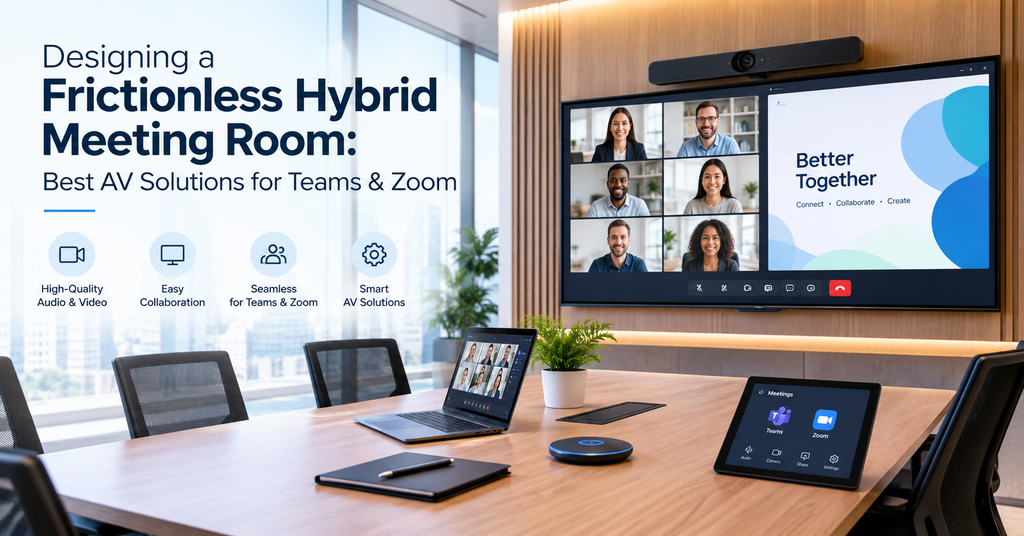
Walk into almost any office today, and you’ll find the same meeting playing out: a few people around the table, a few more on screen, and a good chunk of the first five minutes spent just getting everyone connected. Someone can’t get their laptop to talk to the display. Someone on the call keeps cutting in and out. It’s such a common scene that most people don’t even question it anymore — they just budget extra time for the tech to catch up.
That shouldn’t be the norm. Hybrid work is here to stay, and so are Zoom, Microsoft Teams, and Google Meet. The real issue is that most meeting rooms were never actually designed with hybrid in mind — they were built for a time when everyone showed up in person, and video calling got bolted on as an afterthought. A frictionless hybrid meeting room flips that. The technology disappears into the background, and the meeting starts the moment people sit down, not five minutes later.
So what does building one of these rooms actually involve? Here’s a practical breakdown of the pieces that matter.
What “Frictionless” Actually Means
It doesn’t mean expensive or flashy. It just means nobody not the people in the room, not the people dialing in has to think about the technology at all. That usually comes down to a handful of things working together:
People should be able to join with one tap, without hunting for cables or typing in codes. Remote and in-room participants need to feel like they’re in the same conversation, not two separate ones bolted together. Sharing a screen or a document should happen instantly, without adapters or delays. And maybe most importantly, it should just work every time, without someone needing to call IT first.
Miss any one of these and meetings start losing time. Worse, people start losing confidence in the room itself, and they’ll avoid using it if they can.
The Core AV Building Blocks
Cameras That Actually Follow the Room
A single fixed camera pointed at a long table rarely does anyone justice. Newer AI-powered cameras use auto-framing and speaker tracking, so the shot adjusts to whoever’s actually talking. Remote participants get a clear view of the person speaking instead of squinting at three people crammed into the corner of the frame.
Microphones That Cover the Whole Room
Bad audio ruins more meetings than bad video ever does. Beamforming mic arrays, whether ceiling-mounted or sitting on the table, pick up voices evenly across the room and cancel out echo and background noise. The result: people on the call actually hear what’s being said, regardless of where someone happens to be sitting.
Certified Video Bars and Room Kits
All-in-one video bars pack a camera, microphone, and speaker into a single unit, and the good ones are certified for Zoom Rooms, Microsoft Teams Rooms, and Google Meet. That certification isn’t just a checkbox; it’s what saves you from troubleshooting weird compatibility issues five minutes before a client call.
One-Touch Room Control
A touch panel by the door lets anyone start or join a call, check if the room is free, or book it no laptop needed. It sounds small, but it removes one of the most common points of friction.
Wireless Content Sharing
Nobody should have to dig through a drawer looking for the right adapter. Wireless presentation systems let anyone share their screen from a laptop or phone in seconds.
Smart Room Automation
Lighting, climate, even shading can adjust automatically the moment a call starts. It keeps the room comfortable and camera-ready without anyone having to lift a finger.
Building for Zoom, Teams, and Google Meet All at Once
Here’s the thing most companies run into: they don’t just use one platform. A client might be on Zoom, while the internal team defaults to Teams. A truly frictionless room needs to handle all of that: Zoom Rooms, Microsoft Teams Rooms, Google Meet without swapping out hardware every time the platform changes. This is really where an experienced AV integrator earns their keep. Getting the mix of certified devices, room controllers, and network setup right is what separates a smooth handoff from a clunky one.
Matching the Setup to the Room
Not every space needs the same gear. A huddle room for two to four people usually just needs a compact video bar with camera, mic, and speaker built in nothing more complicated than that. A conference room seating five to twelve benefits from dual displays, ceiling mics, and a camera that can track or pan across the table, so remote participants actually see everyone. Larger training rooms and boardrooms, seating twelve or more, call for multiple cameras, distributed audio, interactive displays, and dedicated control systems to manage it all.
Getting this match right the first time saves you from expensive rework down the line; upgrading a huddle room setup after the fact almost always costs more than planning properly from day one.
Why the Right AV Partner Actually Matters
Buying decent hardware is only half the equation. A frictionless meeting room depends just as much on proper design, network readiness, correct installation, and ongoing support. Even a great camera looks bad on a poorly configured system.
This is where VAS Technologies comes in. With over 15 years of experience delivering IT, networking, and audio-visual solutions across the UAE, the team designs and installs complete meeting room solutions and video conferencing systems built around trusted brands like Yealink, Logitech, and Barco, all fully compatible with Zoom, Microsoft Teams, and Google Meet.
Whether you’re kitting out a single huddle room or fitting an entire office with hybrid-ready conference rooms, VAS Technologies handles the whole process: consultation, design, installation, and support so the room works the way it’s supposed to, every time you walk into it.
Ready to upgrade your meeting rooms?
Book a free consultation with VAS Technologies and get a hybrid setup built around how your team actually works.
Frequently Asked Questions
What is a frictionless hybrid meeting room?
It’s a meeting space built so in-room and remote participants get an equal, seamless experience: one-tap joining, clear audio and video, and instant content sharing, no matter whether the call is on Zoom, Teams, or Google Meet.
What AV equipment do I need for a hybrid meeting room?
At a minimum, you’ll want a certified video bar or camera-mic-speaker setup, a touch control panel, a display, and solid network bandwidth. Larger rooms benefit from ceiling microphones, auto-tracking cameras, and wireless presentation tools on top of that.
Can one meeting room support Zoom, Teams, and Google Meet at the same time?
Yes. With the right certified hardware and a properly set-up room controller, a single room can be configured to host meetings across all three platforms; no need for separate equipment for each one.
How much does a hybrid meeting room setup cost in Dubai?
It really depends on room size, how many rooms you’re outfitting, and the equipment tier you choose, anywhere from a simple huddle room kit to a fully automated boardroom. VAS Technologies offers a free consultation to assess your space and put together a tailored quote.
Why hire an AV integrator instead of just buying the equipment myself?
A professional integrator makes sure the cameras, microphones, network, and software are properly matched and configured to work together, which is exactly where most DIY setups run into trouble.
Walk into most modern office buildings in Dubai now, and you’ll see the same thing: a fingerprint scanner at the entrance, a facial recognition camera on the turnstile, maybe a palm-vein reader guarding the server room. Biometric access control has quietly become the default, not the upgrade. But there’s something a lot of facility managers don’t think about until it’s a problem: biometric data isn’t treated like ordinary data in the UAE. It’s classified as sensitive personal data, and that classification comes with real obligations. Get it wrong, and you’re not just looking at an awkward IT conversation. You’re looking at regulatory exposure.
So here’s the practical version: what facility managers in Dubai actually need to understand to run a system that’s both secure and compliant.
Why Everyone’s Moving to Biometrics
Key cards and PINs have always had the same problem. They get lost. They get shared. Someone leaves the company and forgets to hand theirs back. A fingerprint or a face doesn’t have that issue; you can’t lend it to a colleague who forgot their badge.
That’s the headline reason facilities switched, but it’s not the only one. A few things tend to matter most once a system is actually running:
No more buddy-punching. Access is tied to a physical identifier, so one person can’t clock in for another.
Time and attendance basically manages itself; entry and exit get logged automatically, no timesheets required.
You get a real audit trail. If something goes wrong, you know exactly who was where and when.
Entry is faster, especially with contactless options like facial or palm-vein recognition, which also happen to suit the hygiene expectations that stuck around after the pandemic.
None of that comes free, though. What you’ve gained in convenience, you’ve taken on in responsibility; you’re now storing something far more personal than a badge number. And that’s precisely why compliance around it matters so much.
What Facility Managers Actually Need to Know
A few points matter more than the rest if you’re the one signing off on an access control system
Biometric data gets the “sensitive” label. Biometric data used for identification is treated as sensitive personal data in the UAE, in the same category as health data, genetic data, and religious beliefs. Processing it usually requires explicit consent as the lawful basis, and it triggers stricter security requirements plus the need for a proper data protection impact assessment. In plain terms: you can’t just install the scanners and roll it out. There’s a paperwork step first, and it’s not optional.
It covers your staff, not just your visitors or customers. This is where a lot of facility managers get caught out, because the instinct is to think of data protection obligations as a customer-data issue. It isn’t. Employee personal data is fully covered, which means employers need a lawful basis for processing it, have to give staff a privacy notice at onboarding, need a retention policy for employee records, and must respond to data access requests within a reasonable timeframe. If your fingerprint scanner is logging when your facilities team clocks in, that log is personal data, and it’s their data, with rights attached.
Free zones complicate things. Data protection obligations aren’t uniform across the UAE; different zones can run their own frameworks alongside the wider federal rules, so the requirements depend on where your building actually sits. If your facility is in a free zone, don’t assume the standard federal rules are the only ones you need to check.
And this isn’t something sitting quietly on the books. Data protection obligations in the UAE are actively enforced. Which means biometric access control has quietly shifted from an IT install-and-forget project into something that needs ongoing attention, the same way fire safety or insurance does.
Turning the Rules Into Daily Practice
None of this is complicated once you break it into habits; it’s more about discipline than difficulty.
Start with consent that actually means something. People should know, plainly, that their biometric data is being collected, why, how long it sticks around, and who can see it. Burying that in page 34 of the HR handbook doesn’t count.
Lock down who can access the data internally; treat biometric templates and access logs the way you’d treat payroll records, not a visitor sign-in sheet. Encrypt everything, in storage and in transit; a template sitting as a plain file on a local server is a breach waiting to happen.
Set a retention policy and actually follow it. There’s no good reason to still be holding a former employee’s fingerprint data two years after they left. Build deletion into the offboarding checklist so it doesn’t rely on someone remembering.
Document your lawful basis, and run an impact assessment where it’s called for. It sounds like bureaucracy, but for sensitive data like biometrics, it’s the difference between compliant and exposed. And have an actual incident response plan, not a vague intention to “figure it out if something happens,” but a real, written process for if biometric data is compromised.
Picking the Right Technology
Not every biometric option fits every building. Fingerprint readers are the cheapest and most familiar, but they need physical contact. Facial recognition is fast and touchless, which makes it a natural fit for busy lobbies. Palm-vein readers are the quiet overachiever: hygienic, contactless, and hard to spoof, even with things like lotion or minor cuts on someone’s hand.
Which one you pick comes down to your building, your foot traffic, and how much weight you put on hygiene versus cost. But whatever you choose, the compliance groundwork doesn’t change: consent, encryption, retention, restricted access. The technology is just the delivery mechanism. The obligations stay the same underneath it.
Where VAS Technologies Fits In
This is the exact gap VAS Technologies (vas.ae) was built to close for facility managers across Dubai and the wider UAE. They’re a Dubai-based ELV security specialist that designs, supplies, and installs biometric access control systems — fingerprint, facial recognition, palm-vein — built on platforms like Suprema and ZKTeco, and sized to whatever building you’re actually running.
The value isn’t only the hardware. It’s the on-the-ground expertise that keeps a rollout from becoming a liability: sound system architecture, integration with your time and attendance setup, configurations that scale from a single door to a full enterprise network, and support that keeps pace as your compliance obligations evolve. If you’re planning a new biometric access control system in Dubai, or auditing one you already have, it’s worth talking to someone like VAS before the hardware goes in the wall, not after.
Is biometric data actually “personal data” in the UAE?
Yes, and it’s a step above ordinary personal data. It’s classified as sensitive personal data, which comes with stricter rules than something like a name or phone number would.
Do we need employee consent to use fingerprint or facial recognition for office access?
In almost every case, yes. Sensitive personal data like biometrics generally requires explicit consent as the lawful basis, along with a clear notice telling people what’s being collected and why.
Does the same set of rules apply if our building is in a free zone like DIFC?
It depends on the zone. Some free zones run their own separate data protection frameworks alongside the wider federal rules, so you may need to work out which one applies to you or whether both do.
How long can we keep biometric access logs for someone who’s left the company?
There’s no single fixed number, but you’re expected to have a defined retention policy and actually delete the data once it’s no longer needed, ideally as a built-in step of offboarding.
What actually happens if a facility isn’t compliant?
Data protection obligations in the UAE are actively enforced, not nominal. Non-compliance can mean real regulatory penalties, not just a bad look if something leaks. It’s worth keeping your policies current as expectations evolve.
Is one biometric method more “compliant” than another — facial vs. fingerprint, say?
Not really. Compliance comes down to how you handle consent, storage, encryption, and retention, not which biometric method you chose. Every modality counts as sensitive data.
Can VAS Technologies help with both the installation and the compliance side?
Yes, VAS designs and installs biometric access control systems across Dubai and the UAE, with setups built around your building’s security needs and how you’ll actually be handling the data day to day.