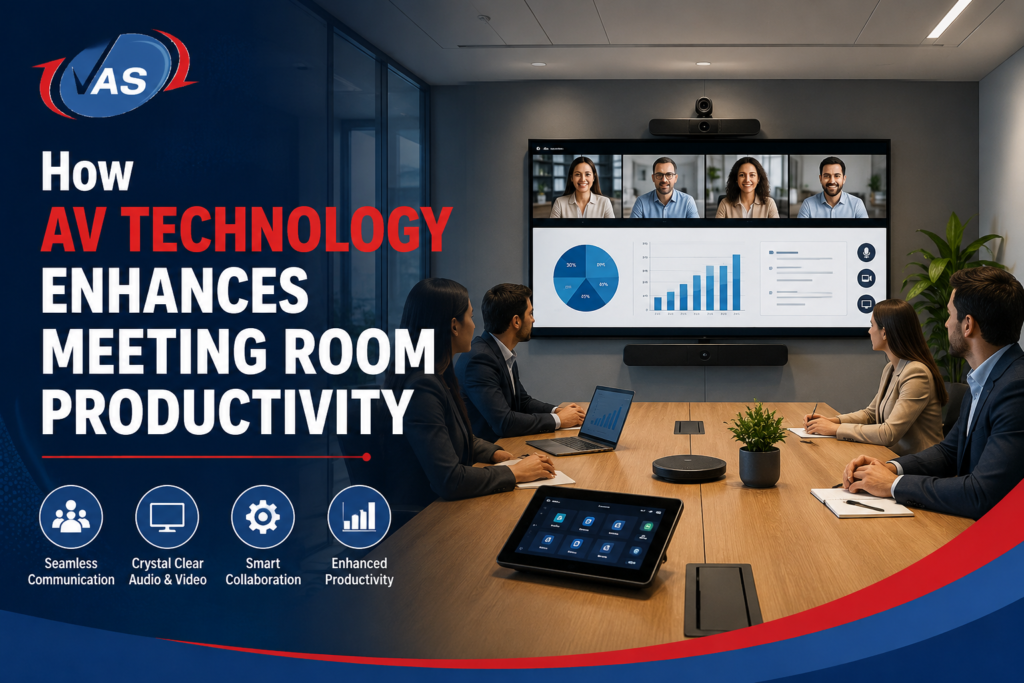
Here’s a scenario every office worker knows too well: you walk into a meeting room, the clock’s already ticking, and the first ten minutes disappear trying to get the screen to mirror, the mic to actually pick up your voice, or the remote team to stop cutting out. By the time the tech cooperates, half the energy in the room is gone.
That’s the problem good AV technology for meeting rooms is meant to fix. What used to be a “nice extra,” a decent screen, a speakerphone, has turned into one of the smarter investments a business can make. Smart displays, AI-driven cameras, wireless sharing tools: these aren’t gadgets anymore; they’re infrastructure. And the brands behind that infrastructure matter: names like Logitech, Yealink, Poly, and Huawei IdeaHub now sit at the center of most serious meeting room upgrades.
This piece walks through how solid conference room AV technology actually changes the way teams collaborate, which brands are actually driving that change, and why it matters even more now that hybrid work isn’t going anywhere.
What Counts as AV Technology in a Meeting Room?
At its core, AV (audio-visual) technology is just the mix of audio and video gear that keeps a meeting running without hiccups. In practice, that usually means:
- Video conferencing systems and smart cameras (think Logitech Rally or Poly Studio series)
- Wireless presentation and screen-sharing tools
- Conference microphones and speakers, including Yealink meeting room audio devices
- Interactive displays and smartboards, such as the Huawei IdeaHub range
- Room booking and scheduling panels
- Automated lighting and AV control systems
Put these together properly, and you get what people now call a smart meeting room, a space built so the technology gets out of the way, whether everyone’s sitting at the same table or scattered across three time zones.
Why Productivity Really Does Come Down to the AV Setup
Meetings Actually Start on Time
Those first five or ten minutes- laptop cables, “can you hear me?”, someone hunting for the right HDMI adapter- are where a lot of meeting time quietly bleeds away. Decent AV integration removes most of that friction: one-touch conferencing, auto-connect, wireless casting. Devices like Logitech’s one-touch join hardware or a Yealink MeetingBar are built specifically to cut that startup delay. The meeting starts when it’s supposed to, not fifteen minutes late.
Hybrid Teams Stop Feeling Like an Afterthought
Hybrid work is just how things run now, and video conferencing technology is what keeps remote employees from feeling like they’re watching through a keyhole. Auto-framing cameras, noise-cancelling mics, speakers that don’t distort- small things, but they add up to remote staff actually being able to see and hear what’s happening, not guessing at it. This is where brands like Poly and Logitech have built a reputation; their cameras and audio bars are designed around exactly this problem. That’s the real driver behind hybrid meeting productivity.
Ideas Move Faster With Interactive Displays
Smart displays and interactive whiteboards change a meeting from “watch the slides” to “build the thing together.” People sketch, annotate, move things around in real time. The Huawei IdeaHub is a good example here; it combines a 4K interactive display with built-in conferencing so teams don’t need a separate whiteboard and screen setup. That tends to mean fewer decisions get punted to a follow-up meeting nobody wanted to schedule in the first place.
Less Time Lost to Broken Tech
A meeting room with flaky tech is a productivity leak that never really stops. Properly installed AV systems for offices, running on reliable hardware from names like Yealink and Poly, come with automated diagnostics and remote monitoring built in, so IT can often catch and fix a problem before anyone in the room even notices something was wrong.
Office Space Gets Used Better
Digital room booking panels show real-time availability, which sounds minor until you consider how much time gets wasted on double-booked rooms or a “quick sync” that takes over a room for two hours. Companies across the UAE, in particular, are leaning into this as office space gets more expensive and more competitive.
The Technologies Actually Doing the Work
| Technology | Leading Brands | What It Actually Fixes |
| Smart video conferencing systems | Logitech, Poly, Yealink | Keeps remote conversations clear and natural |
| Wireless presentation tools | Logitech, Huawei IdeaHub | No hunting for cables, sharing just works |
| AI-powered cameras | Logitech Rally, Poly Studio | Auto-framing and speaker tracking |
| Noise-cancelling microphones | Poly, Yealink | Clear audio even when the room’s noisy |
| Interactive smart displays | Huawei IdeaHub | Turns meetings into working sessions, not slide shows |
| Digital room scheduling panels | Yealink, Logitech Tap Scheduler | Fewer double-bookings, better space use |
| Centralized AV control systems | Poly, Logitech, Yealink | One button, not five remotes |
A Quick Look at the Brands Shaping Modern Meeting Rooms
It’s worth understanding what each of these names actually brings to the table, since they tend to come up in almost every meeting room AV conversation:
- Logitech: Known for its Rally camera and conferencing range, plus simple one-touch join hardware that’s become a default choice for small to mid-sized meeting rooms.
- Yealink: Popular for its MeetingBar and room scheduling panels, often chosen for its reliability and straightforward setup across multiple rooms.
- Poly (formerly Plantronics/Polycom): Well regarded for audio quality, Poly Studio cameras and speakerphones are a common pick where clear sound matters as much as video.
- Huawei IdeaHub: Stands out for combining an interactive display, whiteboard, and video conferencing unit into a single smart screen, useful for teams that want less hardware clutter in the room.
Most professional AV integrators, VAS included, will mix and match hardware from these brands depending on room size, existing infrastructure, and budget, rather than locking a client into a single ecosystem.
What This Actually Means for the Business
Companies that put real thought into their meeting room AV solutions, whether built around Logitech, Yealink, Poly, Huawei IdeaHub, or a mix of all four, tend to notice a few consistent things: meetings run shorter because there’s less fumbling with tech, engagement goes up for both in-office and remote staff, client presentations land better, IT support calls drop, and the office space itself gets used more efficiently.
Put simply, this isn’t really about better speakers and sharper screens. It’s about how efficiently your people work, and honestly, how put-together your business looks to the people sitting across the table.
Where VAS Technologies Fits Into This
If you’re at the point of actually upgrading your meeting rooms, VAS Technologies is worth a look. They design and install professional audio-visual systems for meeting rooms, boardrooms, and offices across the UAE, working with trusted brands like Logitech, Yealink, Poly, and Huawei IdeaHub, depending on what each space actually needs. Their team handles the whole process, from the initial consultation through installation and ongoing support, so you end up with a room that’s genuinely simple to use, not just impressive on paper.
Whether it’s one boardroom or a full office rollout, VAS Technologies builds around your budget and how your teams actually work. VAS Technologies is also worth a browse if you want to see real examples of how other businesses have approached this.
What’s the single biggest benefit of AV technology in meeting rooms?
Time, mostly. Less setup delay, fewer glitches, fewer awkward pauses waiting for something to connect.
Is this only worth it for big companies?
Not really. A smaller company with one or two well-equipped rooms often sees the improvement just as clearly, sometimes more, since every meeting matters more when the team is small.
What’s the minimum setup for a decent hybrid meeting room?
A camera with auto-framing, noise-cancelling mics, a large enough display, and a wireless way to share a screen. That covers most of it, and it’s exactly what brands like Logitech, Yealink, and Poly build their entry-level room kits around.
How does this help remote employees specifically?
Clear audio and video, and actually being seen and heard properly, make remote staff feel like part of the conversation instead of an add-on. That alone cuts down on a lot of miscommunication.
Which brands should I consider for my meeting rooms?
Logitech, Yealink, Poly, and Huawei IdeaHub each cover slightly different needs: cameras, audio, scheduling, and interactive displays, respectively. An integrator like VAS Technologies can help match the right brand and device to your room instead of guessing.
How do I figure out the right setup for my office?
It really depends on room size, how much of your team is hybrid, and budget. Talking to an experienced integrator like VAS Technologies is usually the fastest way to land on something that fits instead of guessing.
Bottom Line
AV technology stopped being optional a while ago. Done right, with the right mix of hardware from names like Logitech, Yealink, Poly, and Huawei IdeaHub, it cuts downtime, keeps communication clear, and makes hybrid collaboration actually work instead of just technically functioning.
If your meeting rooms are overdue for an upgrade, VAS Technologies offers AV design and installation built around how your business actually operates, turning meeting rooms into spaces people don’t have to fight with to get work done.

Related Post
- Biometric & Access Control System Installation: What Dubai Businesses Actually Need to Know

- How to Pass a SIRA CCTV Inspection in Dubai: Checklist & Common Failures
- Essential Cybersecurity Guidelines for UAE Companies Handling Sensitive Data
- Designing a Frictionless Hybrid Meeting Room: Best AV Solutions for Teams & Zoom
- Access Control & Biometric Compliance in Dubai Workplaces: A Guide for Facility Managers
- SIRA vs. Non-SIRA Approved Systems: What Dubai Business Owners Need to Know