A business in Dubai spends good money on a CCTV setup, proper cameras, decent NVR, maybe even some AI analytics. A few months in, footage starts dropping. Cameras go offline randomly. The IT guy spends a full afternoon on it and can’t pin down the cause.
Nine times out of ten, it’s the cables.
Not the cameras. Not the NVR. The cables nobody thought twice about when the system was being installed.
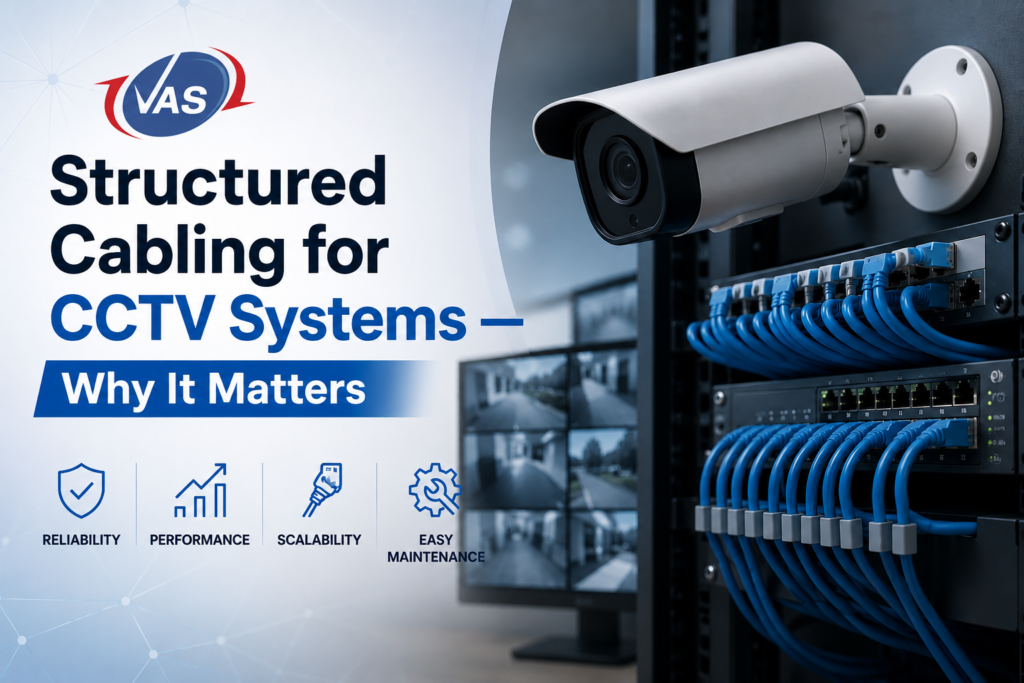
That’s the thing about structured cabling, it’s invisible when it works and incredibly expensive when it doesn’t. This guide covers what it actually means, why it matters specifically for CCTV systems, and what separates a properly installed system from one that’s going to cause headaches down the line.
So What Actually Is Structured Cabling?
Think of it this way: ad-hoc cabling is like running extension cords through a house wherever you need power. It works, until it doesn’t and when something goes wrong, you’re pulling at wires trying to figure out which one goes where.
Structured cabling is the opposite. It’s a planned, standardised approach where every cable has a defined path, a proper home at a patch panel, a label, and documentation that tells you exactly what it does and where it goes.
For CCTV systems, that translates to:
- Dedicated cable runs from each camera back to a central point, your NVR room or IT comms cabinet
- The right cable type for the job (Cat6 or Cat6A for IP cameras; RG59 or RG6 for analogue setups)
- Patch panels that keep everything organised and traceable
- Conduit and cable management that protects cables from physical damage and interference
- Labelling and as-built drawings that make sense to any engineer, not just the person who installed it
It sounds like basic stuff. But you’d be surprised how rarely it’s actually done properly.
Why Bad Cabling Breaks Good Cameras
This is the part most buyers don’t think about until it’s too late.
Video Quality
A 4K IP camera produces a lot of data, somewhere between 20 and 50 Mbps, depending on the compression settings. Push that through an undersized cable, or one that’s been run 20 metres beyond its rated limit, and you get packet loss. Packet loss means dropped frames. Dropped frames mean gaps in your footage right when you might need it most.
Analogue HD cameras have the same problem in a different form. Run them over poor-quality coaxial cable, and you get ghosting, colour distortion, and visual noise. It looks like the camera is broken. It’s not. It’s the cable.
Power Delivery (PoE)
Most IP cameras today don’t need a separate power supply. They get both data and power through the same Ethernet cable that’s Power over Ethernet, or PoE. It’s a genuinely clever system, but it’s unforgiving of poor cabling.
Voltage drops as it travels through a cable. A cheap cable, or a run that’s too long, delivers less voltage at the camera end than the camera needs. The result: cameras that reboot at random, won’t power up at all, or behave erratically in hot or cold weather. For cameras that need PoE+ (30W) or PoE++ (60W), Cat6 is the minimum. Cat6A is better for longer runs or challenging environments.
Growing Without Pain
Here’s an argument that often lands differently with business owners: structured cabling makes future expansion cheap.
With ad-hoc wiring, adding a camera means pulling a new cable from scratch. Through a finished ceiling. Down a wall. Back to the NVR. Every time. With structured cabling, you have spare capacity built in, conduit already in place, and documentation that tells you exactly what’s available. Adding a camera becomes a patch panel connection. It takes an hour instead of a day.
Standards and Compliance in the UAE
The UAE follows internationally recognised cabling standards, and there’s a regulatory layer specific to CCTV that’s worth knowing about.
TIA-568 is the primary standard for commercial cabling it specifies cable categories, performance requirements, and installation rules. The key number to know: 100 metres. That’s the maximum total channel length for Cat6 or Cat6A on horizontal runs (90 metres of permanent link plus 10 metres of patch cables at each end). Go over that, and performance degrades, regardless of cable quality.
ISO/IEC 11801 is the international equivalent and is referenced in the UAE government and large commercial projects.
SIRA, the Security Industry Regulatory Agency, governs CCTV installations in Dubai. Their requirements cover camera specifications, storage duration, image resolution, and system availability. What SIRA doesn’t spell out explicitly is cabling, but here’s the practical reality: poor cabling is one of the most common reasons CCTV systems fail compliance checks. If cameras are dropping footage or losing connectivity, the system can’t meet SIRA’s continuous recording requirements. Full stop.
VAS Technologies is a SIRA-approved company, so when we install a CCTV system, the cabling is part of what we stand behind not an afterthought we leave to whoever’s cheapest.
Which Cable for Which System?
IP Cameras
Cat6 UTP or FTP: The standard choice for most installations. Handles Gigabit Ethernet, supports PoE up to 30W, and meets TIA-568 specs across the full 100-metre range. Works for the large majority of commercial CCTV deployments.
Cat6A UTP or FTP: Step up to this for high-density camera setups, 10-Gigabit backbone links, cameras that need PoE++ power, or environments with significant electrical interference (near motors, generators, or industrial equipment). It’s also worth specifying Cat6A if there’s any chance the building will need 10G networking in the future, on the same infrastructure, no rewire.
Fiber Optic (OM3/OM4 or OS2): Once you’re going between buildings, across a campus, or anywhere copper would exceed distance limits, fiber is the answer. You’ll need media converters at each end to connect IP cameras, but fiber handles hundreds or thousands of metres without signal loss and eliminates grounding issues between buildings entirely.
Analogue HD Cameras
RG59 Siamese: The traditional analogue CCTV cable. Carries video on coaxial and power on an 18AWG pair. Reliable up to around 300 metres for standard definition. Still widely used and perfectly adequate for analogue systems as long as it’s installed properly.
RG6: Lower signal attenuation than RG59, better suited for longer runs and HD analogue formats (HDTVI, HDCVI, AHD) at 1080p and above.
The Mistakes That Actually Cause Problems
Knowing what goes wrong is useful whether you’re evaluating a proposal or troubleshooting an existing system.
Running cables too far: The 100-metre limit for Cat6 is real. Cameras at 120 metres will behave badly, and the fault won’t always be obvious.
Specifying the wrong cable grade: Cat5e with PoE+ cameras is asking for trouble. The cable physically can’t deliver the required power over any meaningful distance.
Sloppy terminations: A cable is only as reliable as its weakest connection. Improperly crimped RJ45s or rushed punch-down terminations on patch panels cause intermittent faults, the worst kind, because they’re hard to reproduce and diagnose.
No containment: Cables bundled with mains power cables, running loosely across ceilings, or in areas with movement or heat, pick up interference and degrade physically over time. Conduit and cable trays aren’t optional extras.
No documentation: A system installed without labels, drawings, or patch panel schedules is a liability. Every change becomes a guessing game.
Mixing analogue and IP infrastructure without a plan: Hybrid systems are common. But the cabling for each type is different, and it needs to be planned at the design stage, not improvised during installation.
What a Proper Installation Actually Looks Like
Site Survey First: No cables go in until someone has walked the site, checking camera positions, measuring distances, assessing conduit routes, and confirming where the NVR or comms cabinet will go. This produces a cabling design drawing. That drawing is the reference for everything that follows.
Infrastructure Before Cables: Conduit, cable trays, and trunking go in first. In a finished commercial building, this means working within ceilings, walls, and cable management systems, not just pulling cable wherever it’s convenient. Getting the infrastructure right at this stage is what makes the rest of the job neat and maintainable.
Pulling Cable: Cable goes through the conduit to each camera position and back to the comms room. Sharp bends, kinking, and stapling, all of which damage the internal pairs, don’t happen in a proper installation.
Termination: Every cable is terminated in the patch panels in the comms room, wall plates or surface boxes at camera positions. Right tools, correct standards, done once.
Testing and Certification: This is the step that separates professionals from everyone else. Every cable run is tested with a certifier, a Fluke DTX or equivalent, that verifies length, wiremap, attenuation, return loss, and PoE compatibility against the rated specification. You get a test report you can keep. If a cable fails, it gets fixed before cameras go on it.
Labelling and Handover Documentation: Every cable, every patch port, every camera position is labelled. As-built drawings are provided showing the actual cable routes as installed. That documentation is what makes the system maintainable by anyone, not just the original installer.
Questions to Ask Before You Sign Anything
If you’re getting quotes for a CCTV installation in Dubai, these questions will separate the serious installers from the ones who’ll give you problems later:
- What cable category are you specifying, and why is that right for these cameras?
- Will I receive cable test certification reports at handover?
- How will you run the cables: conduit, cable tray, or surface trunking?
- What documentation comes with the system at handover?
- Are you SIRA approved?
- How does the design accommodate adding cameras in future?
If you get vague answers, that’s your answer.
What’s the difference between structured cabling and regular cabling for CCTV?
Regular cabling, sometimes called point-to-point wiring, is individual cables run from each camera to the recorder, with no standardised approach, no testing, and no documentation. Structured cabling follows defined standards: the right cable category, proper installation methods, certification testing, labelling, and documentation. In practice, the difference shows up in reliability, how easy faults are to diagnose, how straightforward it is to add cameras later, and whether the system meets SIRA requirements. It costs more upfront. It costs significantly less over the system’s lifetime.
How far can a CCTV cable run before the signal degrades?
For IP cameras on Cat6, the hard limit is 100 metres total, that’s 90 metres of permanent link plus 10 metres of patch cables combined. Go beyond that, and you’ll see packet loss, frame drops, and PoE power issues. For longer distances, fiber optic with media converters is the right answer fiber handles hundreds of meters or more without degradation. For analogue cameras on RG59, the HD signal stays reliable to around 250–300 metres.
Does SIRA in Dubai require specific cabling standards for CCTV?
SIRA’s published requirements focus on cameras, storage, and image quality, not cabling specifically. But the connection is direct: if cabling is poor, cameras drop footage, lose connectivity, or fail to record continuously. And continuous recording is a SIRA requirement. Poor cabling is a common reason systems fail SIRA checks. Working with a SIRA-approved installer means the infrastructure behind the cameras is built to support compliance, not undermine it.
Can CCTV cameras share cabling with the office network?
Technically, yes, IP cameras use the same Cat6 infrastructure as regular network devices. In practice, it’s not recommended for professional installations. CCTV traffic should run on a dedicated VLAN, and ideally on dedicated switch infrastructure, to keep camera bandwidth separate from business traffic and prevent unauthorised access to camera feeds. Most well-designed systems run dedicated cabling from cameras to a separate PoE switch and NVR, physically separate from the general network patch panels.
How long does a structured cabling installation for CCTV take?
For a typical single-floor commercial installation of 20–40 cameras, expect 2–5 working days covering cabling, termination, testing, and documentation. Multi-floor or campus-scale projects take longer and are usually phased. The site survey and design, typically 1–2 days before any installation work begins, is where the time investment really pays off. Good design prevents rework. Rushed design causes it.
Why do CCTV cameras lose connection or show poor footage even when they’re brand new?
Almost always, it’s the cabling. Specific culprits: cable runs beyond 100 metres on Cat6, poorly crimped RJ45 connectors causing intermittent connectivity, insufficient PoE voltage delivery due to cable length or grade, EMI from mains cables bundled alongside data cables, and physical cable damage from sharp bends during installation. A cable certification test with a Fluke tester will identify the exact problem. If your installer didn’t provide test reports at handover, ask for them or commission an independent cable audit before blaming the cameras.
The Long View
CCTV cameras get upgraded. Every few years, resolution standards move, analytics improve, and the previous generation of cameras gets replaced. The cabling doesn’t move. It stays in the walls and ceilings for the life of the building.
Getting the cabling right now means the next set of cameras can be swapped in without a rewire. It means expanding to new areas is straightforward. It means SIRA audits pass. And it means the footage is actually there when something happens, not missing because a cable that was never up to the job silently failed.
VAS Technologies has been installing structured cabling and CCTV infrastructure across the UAE for over 14 years. Our engineers are SIRA-certified and experienced across the full range of commercial, hospitality, retail, and industrial environments in Dubai.
If you’re planning a new CCTV installation or want an honest assessment of an existing system, get in touch.

Related Post
- SIRA CCTV Approval in Dubai: Cost, Steps and Timeline for Restaurants, Shops and Warehouses

- Biometric & Access Control System Installation: What Dubai Businesses Actually Need to Know
- How to Pass a SIRA CCTV Inspection in Dubai: Checklist & Common Failures
- Essential Cybersecurity Guidelines for UAE Companies Handling Sensitive Data
- Designing a Frictionless Hybrid Meeting Room: Best AV Solutions for Teams & Zoom
- Access Control & Biometric Compliance in Dubai Workplaces: A Guide for Facility Managers