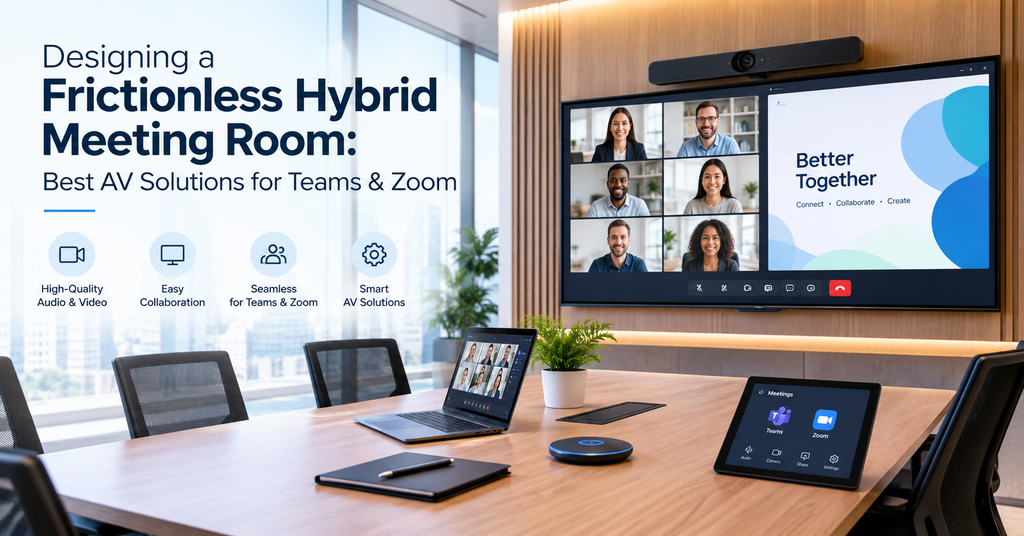
Walk into almost any office today, and you’ll find the same meeting playing out: a few people around the table, a few more on screen, and a good chunk of the first five minutes spent just getting everyone connected. Someone can’t get their laptop to talk to the display. Someone on the call keeps cutting in and out. It’s such a common scene that most people don’t even question it anymore — they just budget extra time for the tech to catch up.
That shouldn’t be the norm. Hybrid work is here to stay, and so are Zoom, Microsoft Teams, and Google Meet. The real issue is that most meeting rooms were never actually designed with hybrid in mind — they were built for a time when everyone showed up in person, and video calling got bolted on as an afterthought. A frictionless hybrid meeting room flips that. The technology disappears into the background, and the meeting starts the moment people sit down, not five minutes later.
So what does building one of these rooms actually involve? Here’s a practical breakdown of the pieces that matter.
What “Frictionless” Actually Means
It doesn’t mean expensive or flashy. It just means nobody not the people in the room, not the people dialing in has to think about the technology at all. That usually comes down to a handful of things working together:
People should be able to join with one tap, without hunting for cables or typing in codes. Remote and in-room participants need to feel like they’re in the same conversation, not two separate ones bolted together. Sharing a screen or a document should happen instantly, without adapters or delays. And maybe most importantly, it should just work every time, without someone needing to call IT first.
Miss any one of these and meetings start losing time. Worse, people start losing confidence in the room itself, and they’ll avoid using it if they can.
The Core AV Building Blocks
Cameras That Actually Follow the Room
A single fixed camera pointed at a long table rarely does anyone justice. Newer AI-powered cameras use auto-framing and speaker tracking, so the shot adjusts to whoever’s actually talking. Remote participants get a clear view of the person speaking instead of squinting at three people crammed into the corner of the frame.
Microphones That Cover the Whole Room
Bad audio ruins more meetings than bad video ever does. Beamforming mic arrays, whether ceiling-mounted or sitting on the table, pick up voices evenly across the room and cancel out echo and background noise. The result: people on the call actually hear what’s being said, regardless of where someone happens to be sitting.
Certified Video Bars and Room Kits
All-in-one video bars pack a camera, microphone, and speaker into a single unit, and the good ones are certified for Zoom Rooms, Microsoft Teams Rooms, and Google Meet. That certification isn’t just a checkbox; it’s what saves you from troubleshooting weird compatibility issues five minutes before a client call.
One-Touch Room Control
A touch panel by the door lets anyone start or join a call, check if the room is free, or book it no laptop needed. It sounds small, but it removes one of the most common points of friction.
Wireless Content Sharing
Nobody should have to dig through a drawer looking for the right adapter. Wireless presentation systems let anyone share their screen from a laptop or phone in seconds.
Smart Room Automation
Lighting, climate, even shading can adjust automatically the moment a call starts. It keeps the room comfortable and camera-ready without anyone having to lift a finger.
Building for Zoom, Teams, and Google Meet All at Once
Here’s the thing most companies run into: they don’t just use one platform. A client might be on Zoom, while the internal team defaults to Teams. A truly frictionless room needs to handle all of that: Zoom Rooms, Microsoft Teams Rooms, Google Meet without swapping out hardware every time the platform changes. This is really where an experienced AV integrator earns their keep. Getting the mix of certified devices, room controllers, and network setup right is what separates a smooth handoff from a clunky one.
Matching the Setup to the Room
Not every space needs the same gear. A huddle room for two to four people usually just needs a compact video bar with camera, mic, and speaker built in nothing more complicated than that. A conference room seating five to twelve benefits from dual displays, ceiling mics, and a camera that can track or pan across the table, so remote participants actually see everyone. Larger training rooms and boardrooms, seating twelve or more, call for multiple cameras, distributed audio, interactive displays, and dedicated control systems to manage it all.
Getting this match right the first time saves you from expensive rework down the line; upgrading a huddle room setup after the fact almost always costs more than planning properly from day one.
Why the Right AV Partner Actually Matters
Buying decent hardware is only half the equation. A frictionless meeting room depends just as much on proper design, network readiness, correct installation, and ongoing support. Even a great camera looks bad on a poorly configured system.
This is where VAS Technologies comes in. With over 15 years of experience delivering IT, networking, and audio-visual solutions across the UAE, the team designs and installs complete meeting room solutions and video conferencing systems built around trusted brands like Yealink, Logitech, and Barco, all fully compatible with Zoom, Microsoft Teams, and Google Meet.
Whether you’re kitting out a single huddle room or fitting an entire office with hybrid-ready conference rooms, VAS Technologies handles the whole process: consultation, design, installation, and support so the room works the way it’s supposed to, every time you walk into it.
Ready to upgrade your meeting rooms?
Book a free consultation with VAS Technologies and get a hybrid setup built around how your team actually works.
Frequently Asked Questions
What is a frictionless hybrid meeting room?
It’s a meeting space built so in-room and remote participants get an equal, seamless experience: one-tap joining, clear audio and video, and instant content sharing, no matter whether the call is on Zoom, Teams, or Google Meet.
What AV equipment do I need for a hybrid meeting room?
At a minimum, you’ll want a certified video bar or camera-mic-speaker setup, a touch control panel, a display, and solid network bandwidth. Larger rooms benefit from ceiling microphones, auto-tracking cameras, and wireless presentation tools on top of that.
Can one meeting room support Zoom, Teams, and Google Meet at the same time?
Yes. With the right certified hardware and a properly set-up room controller, a single room can be configured to host meetings across all three platforms; no need for separate equipment for each one.
How much does a hybrid meeting room setup cost in Dubai?
It really depends on room size, how many rooms you’re outfitting, and the equipment tier you choose, anywhere from a simple huddle room kit to a fully automated boardroom. VAS Technologies offers a free consultation to assess your space and put together a tailored quote.
Why hire an AV integrator instead of just buying the equipment myself?
A professional integrator makes sure the cameras, microphones, network, and software are properly matched and configured to work together, which is exactly where most DIY setups run into trouble.

Related Post
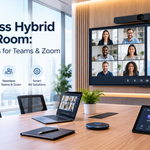
- Designing a Frictionless Hybrid Meeting Room: Best AV Solutions for Teams & Zoom

- Access Control & Biometric Compliance in Dubai Workplaces: A Guide for Facility Managers
- SIRA vs. Non-SIRA Approved Systems: What Dubai Business Owners Need to Know
- How IT Consulting Helps Businesses Make Better Technology Decisions
- How AV Technology Enhances Meeting Room Productivity
- SIRA CCTV Regulations Every Business Owner Should Know